 Aylin
A period calendar that stays on your iPhone.
Tap a day to mark it, see the day of your cycle and when your period is expected.
For anyone who wants just the dates — including those whose cycle varies — without an account.

Questions: support@kohone.net
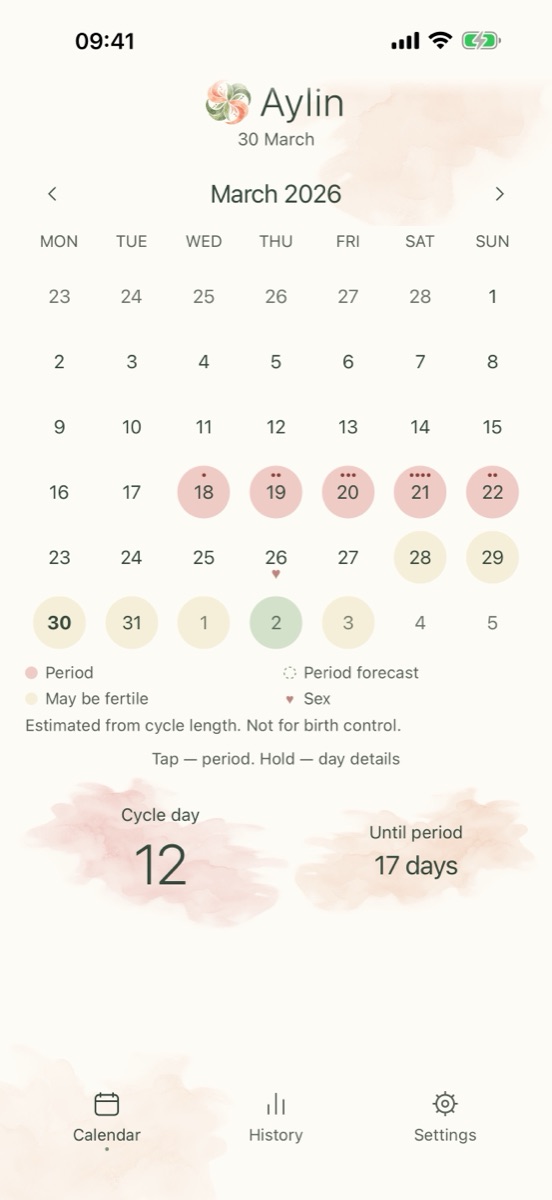
Open it, see how many days are left, mark a day, close it.
Aylin does not draw phases or give advice. When your cycles vary, it shows a range of dates instead of one date, and your records live only on this iPhone — with no account and no network apart from the purchase.
One tap on the calendar
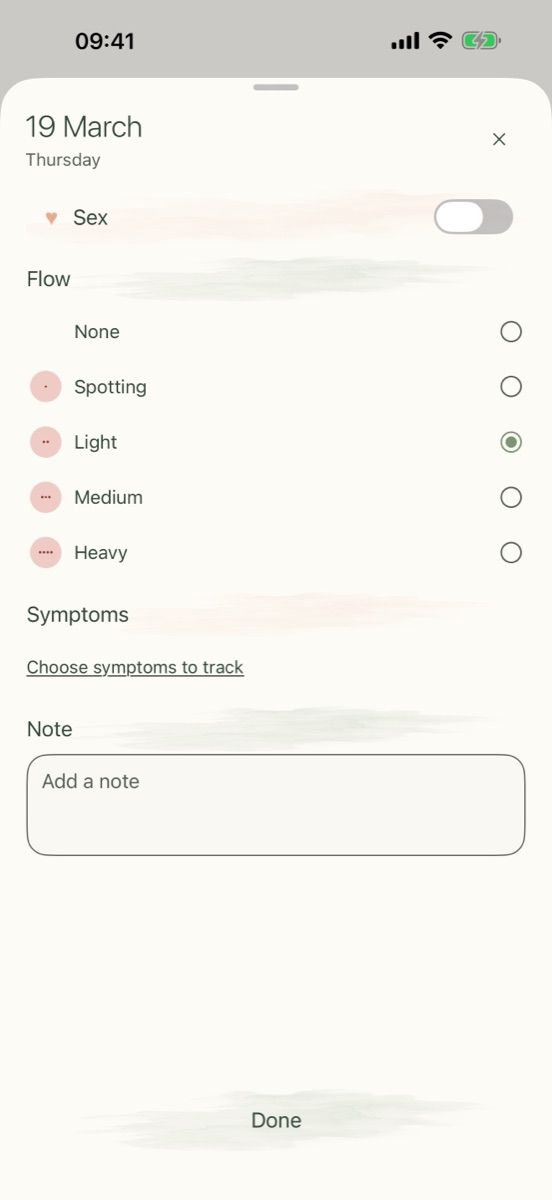
Tap a day to mark your period, hold it for the details. The month shows what you marked and what is expected.
What it does
Mark with a tap
Tap a day and it is a period day; tap again to remove it. Days after today are pale and do not respond.
Cycle day and forecast
The cycle day, and the days until your period — one date for a steady cycle, a range of dates when your cycles vary.
Day details
Hold a day to open its sheet: flow from spotting to heavy, sex, symptoms from a short list, and a note.
Past periods
Edit any past day, or add several past periods by their first and last day. Cycles and forecast are rebuilt.
History and typical values
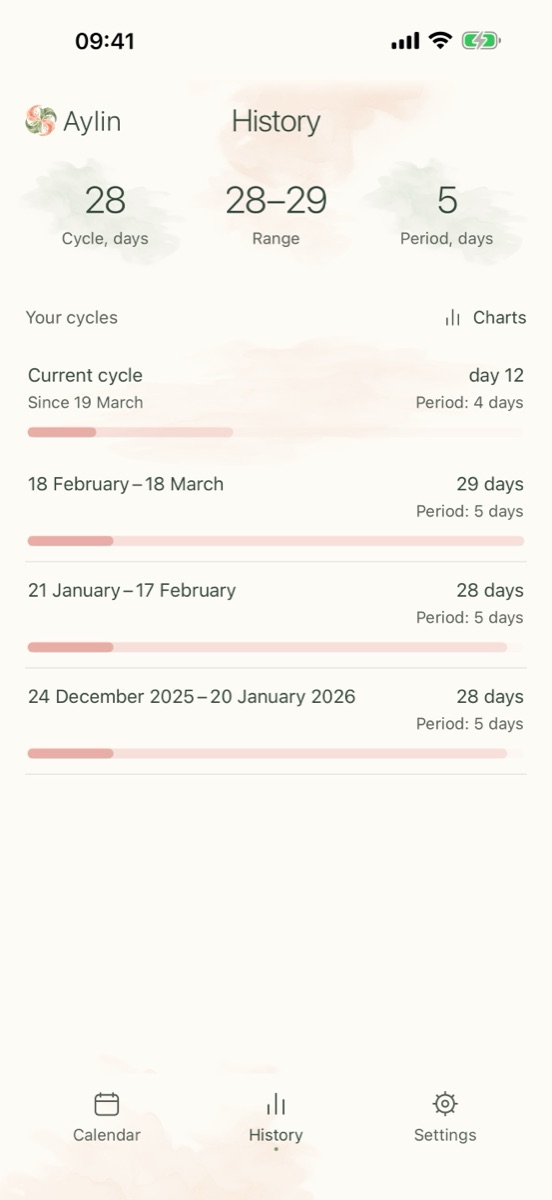
Every cycle with its length and the length of the period, plus your typical cycle, period and range. Free.
Reminder and widget
A reminder some days before your period, with your own text, and a Home Screen widget with the days left.
Apple Health, both ways
Optional. Period days and spotting you mark are written to Health, and changes made in Health come back.
Lock, export, import
Lock with Face ID, Touch ID or the passcode. Export all records as a table, import your own export back.
What it does not do
- No account and no sign-in.
- No advertising, no analytics, no tracking.
- No iCloud copy and no server of ours: nothing is sent anywhere.
- No diagnosis, no medical advice, no birth control.
- No subscription and no trial.
Data and privacy
Your records and settings are stored on your iPhone, in a folder shared only with the app's widget. The one thing that goes online is the purchase, through Apple. Apple Health is used only if you turn it on, and Face ID or the passcode is checked by iOS — Aylin never sees them.
Delete everything at any time with “Delete all data” in Settings.
What it costs
Free
Marking days, the forecast, the cycle day, history with typical values, symptoms and notes, a reminder before your period, the widget, Apple Health sync, the lock, export and import.
Aylin Plus · $9.99
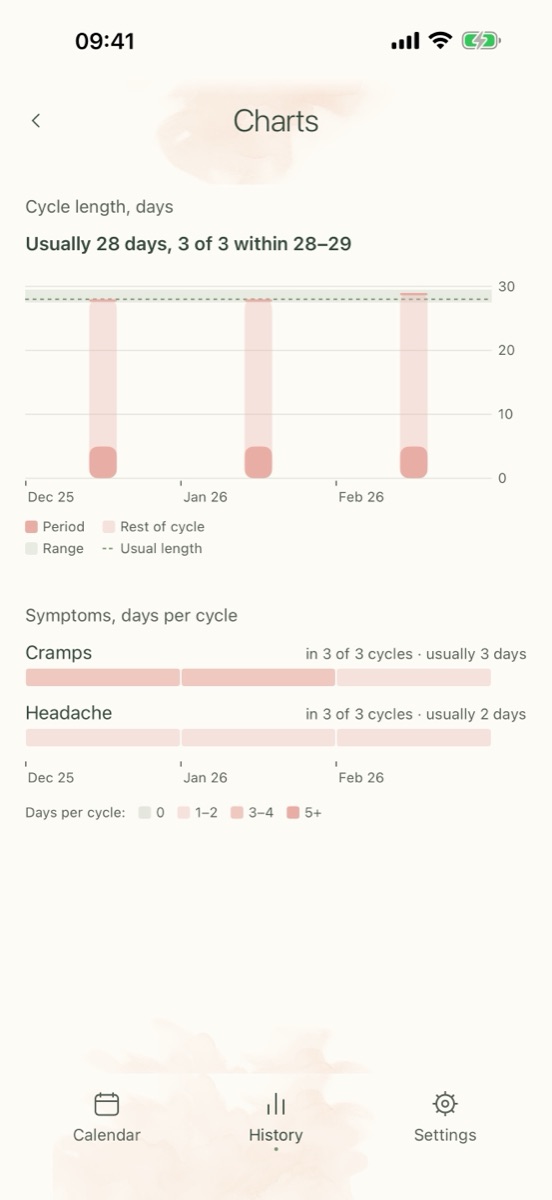
One purchase, forever — not a subscription. It unlocks the report for a doctor (PDF), charts by cycle, extra reminders, your own symptoms, and five watercolour themes with matching icons. You can look inside each section before you buy.
Questions
Where are my records kept?
Only on your iPhone: there is no account, no server of ours, and no iCloud copy. Only the purchase goes through the App Store.
What if my cycle is irregular?
The forecast shows a range of dates instead of one date, and it sharpens after two marked periods. A long cycle is never called wrong.
I take hormonal contraceptives.
Turn on “I take hormonal contraceptives” in Settings: the forecast from your own cycles is switched off, while marking days and history keep working.
Can I use the fertile days as birth control?
No. They are an estimate from cycle length, not a measurement and not birth control, and you can switch them off in Settings.
Can I bring my old records?
Yes. Add past periods by their dates, import a file made by “Export records”, or turn on Apple Health sync.
Can I show my doctor?
Yes. Aylin Plus makes a PDF report of one or two pages with periods, cycle lengths, symptoms and notes. A table export of all records is free.
Is there a subscription?
No. Aylin Plus is a single one-time purchase of $9.99; marking days, forecast, history, reminders and export stay free.
What happens if my period is late?
Aylin shows only the number of days of delay.